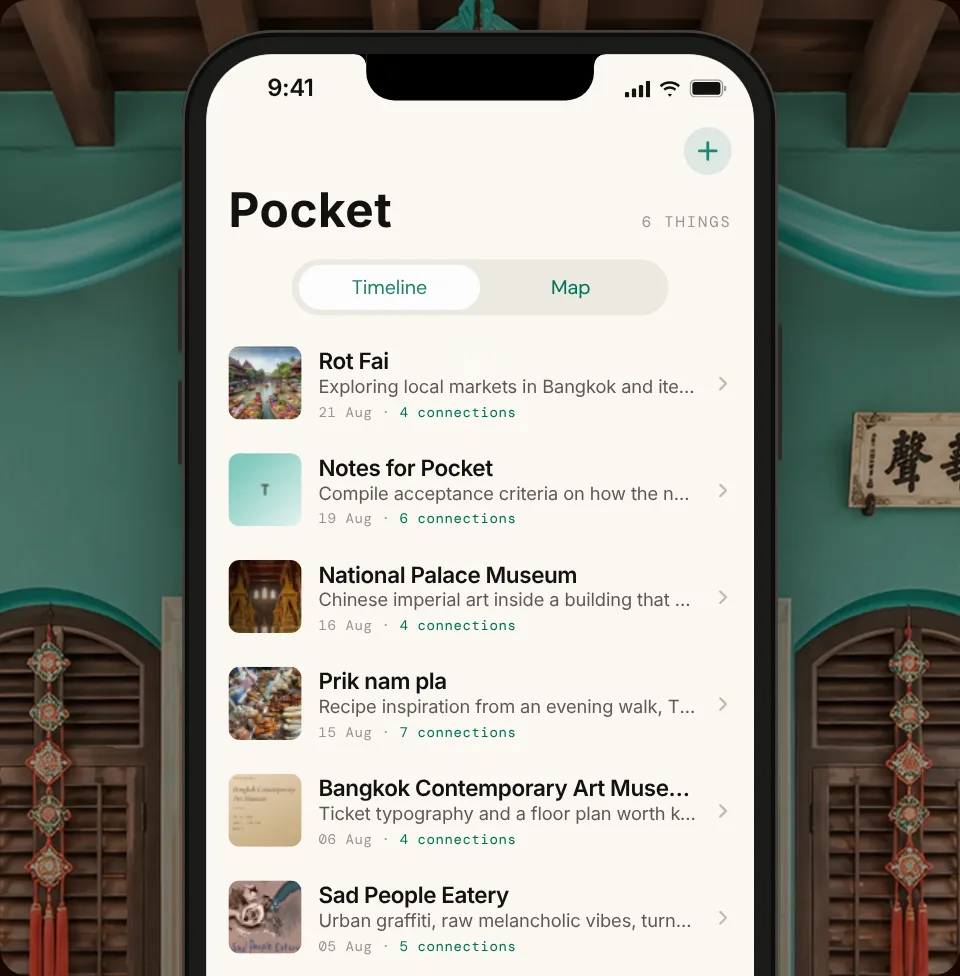
Pocket is an app I built to remember things for me. I could throw anything into it, photos, voice notes, links, bits of text, and it would work out what each one was and connect it to what I’d saved before. It was the equivalent of asking someone: what have I eaten this week? What was that exhibition with the flashy pink portrait of a unicorn?
Everything physical had a place. The digital didn’t.
Everything I collect has its spot: the dinosaur shelf, the rocks, the business cards. My digital things didn’t. Photos, notes, Substack saves and voice memos each live in a different “pocket” of the internet.
Every tool I tried wanted me to organise things as I saved them, and I never kept it up. So I imagined one place to save everything, where meaning builds up from what piles up.
It’s designed for one person: me.
Meaning emerges
from accumulation
not filing
A travel notebook, not a filing cabinet
Pinang Peranakan Mansion in Georgetown, Malaysia gave me the inspiration for the colour palette and the mood. I wanted Pocket to feel like I was there, browsing through this 19th century mansion surrounded by Chinese carved woodwork, Nyonya shoes and antique British glassware.
The model’s voice follows the same line. Natural sentences, specific details, no clichés, no rhetorical questions. I tested different versions of the tone that could be adjusted via the settings panel, only keeping what read right.
Save first, make sense of it later
Saving takes one tap. The AI reads, compares and judges; fixed rules filter; I approve.
The aim was to teach Pocket how I associate things, not necessarily what they are on paper: a photo of a dog and a voice note recorded at a market belong together, because of where I was that day and the sentiment behind it.
Refines the next judgment
Whether a connection is approved or rejected, it still counts toward the learning feedback loop.
Trade-offs
Every fork below shows the path I took and didn’t, its cost, and where it led to. Below, the two walls the decisions added up to → temporarily parking the Pocket.
How it was made
Saving nodes
Linking nodes
Finding nodes
How Pocket speaks
Which eventually led to..
Several model calls per capture, all in the browser. Faster after every fix, never as fast as a camera.
Most of what I save is already in my photo library, with a date and a place. Should this be a feature of the iOS gallery, not an app?
I got to version 7.84.
What the robot does, and where I stopped it
The model’s good at reading and capturing, but it bluffs. And misses context. So the work is split: it reads everything I save, and I decide what joins the graph.
Connections across formats
It links things by what they’re about, so a photo can connect to a voice note with no tags in common.
Photos become text
Every image gets a short summary, so a photo of a street stall can be found later by typing “noodles”.
Voice notes in two languages
Whisper transcribes without being told the language, so a note that switches between Italian and English comes back intact.
Nothing joins without me
Every connection is a suggestion until I approve it. One wrong link and the whole graph feels untrustworthy.
It has to explain itself
Each suggestion comes with a one-line reason, not a score, so I can agree, disagree or rewrite it.
Weak guesses never reach me
Every match is scored strong, moderate or weak. Strong and moderate come to me. Weak ones are dropped before I see them.
What I’m taking with me
- 01
Designing for one person is a fast start, not an answer
I could make every decision in minutes because I was the user. I still don’t know if anyone else needs it.
- 02
What the AI leaves out matters as much as what it suggests
Dropping weak connections did more for trust than improving the strong ones.
- 03
Speed can’t be added later
The choices that made Pocket fast to build are the same ones that capped how fast it could run.
- 04
Cheap building makes it easy to skip the hard question
I got to version 7 before I seriously asked whether this should be an app at all.